
Microsoft has begun private testing of a new enterprise feature called «Remote Lock», which allows IT administrators to remotely lock stolen or lost Windows devices without erasing user data. According to Bleeping Computer, the feature is available on machines upgraded to Windows 11 Insider Preview builds in the Beta channel (build 26320.10003) and Experimental channel (build 26340.10013). Windows Enterprise, Education, and Pro editions are supported, and lock management is handled through custom configuration profiles in Microsoft Intune for devices joined to Microsoft Entra or a hybrid domain, as well as devices registered in Mobile Device Management (MDM).
How the Lock Works Technically
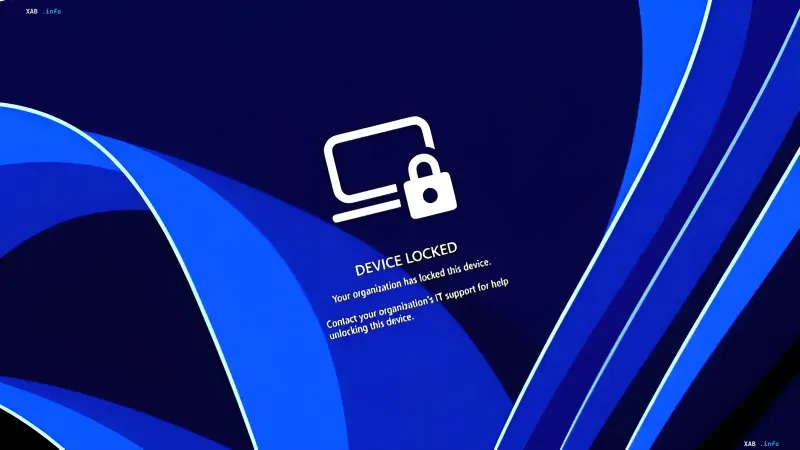
Once Remote Lock is activated, the system terminates all active sessions, hides all sign-in options, and displays a «DEVICE LOCKED» screen indicating that the device has been locked by the organization. Unlocking such a computer will only be possible via Intune: the use of PINs, passwords, local administrator accounts, or web authentication will be disabled. However, Microsoft specifies that the user's own credentials remain valid and can still be used to sign in to other, unlocked devices.
What Happens to Data and Protection
The key difference between Remote Lock and standard device «wiping» is data preservation. According to Stephen Lines, a communications lead for the Windows Insider program, «data is not deleted: the device remains registered in the management system, BitLocker protection continues to run, and user files remain in place». The lock persists even after a reboot or when there is no network connection, and once lifted by the administrator, the user can resume work right where they left off.
Limitations and Administrator Recommendations
Microsoft emphasizes that Remote Lock does not isolate the device from the corporate network or wipe data — separate isolation and wipe functions are provided in Intune for those tasks. The company also recommends keeping BitLocker enabled, as the Windows Recovery Environment, Safe Mode, and booting from a USB drive or other external media remain accessible and could potentially be used by an attacker to reinstall the system (reimaging) or extract the drive.
Context: Expanding FIDO2 and Privacy Controls
In the same Windows 11 preview builds, Microsoft is testing advanced security key management features: users will be able to view and manage individual keys stored in FIDO2 (Fast Identity Online 2), and administrators will be able to configure enterprise settings, including mandatory user verification, minimum PIN length, and enterprise attestation. Earlier in August, the company announced privacy tools allowing users to choose which desktop applications are permitted access to the microphone, camera, and precise location data.