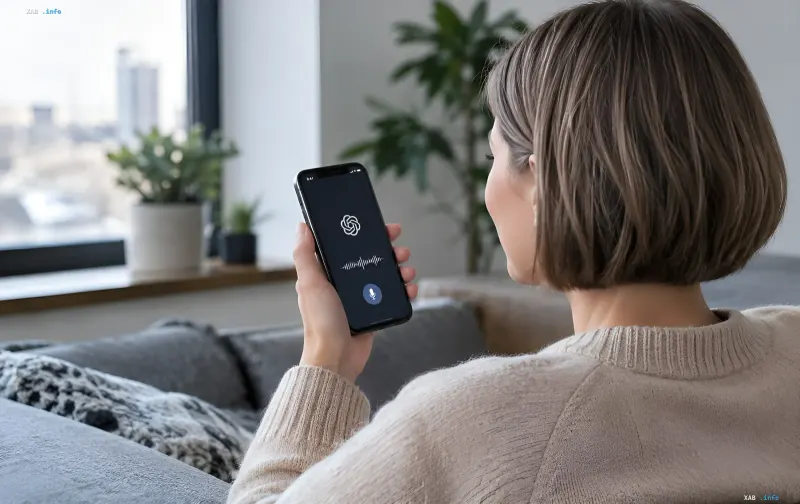
OpenAI has updated its built-in dictation feature in ChatGPT, removing the previous 10-minute limit per recording. According to the release notes, the change applies to all subscription plans, including the free account, which was previously subject to the same time restriction. Now, users can dictate a note, email, or detailed prompt without being cut off, and the recognized text appears on the screen as it is spoken. The update is rolling out to iOS, Android, the web version, and the desktop app globally.
What exactly changed in the dictation mechanism
The key technical shift is the move from a "black box" process to a transparent one. Previously, users would speak into the microphone, the recording would stop after 10 minutes, and the text would only appear in the input field after dictation finished. Now, the service transcribes speech in real time: words appear on the screen as they are uttered. Tapping the sound wave icon in the interface allows users to show or hide the recognized text at any point during the recording. Once dictation is complete, the transcribed text lands in the message field, where it can be edited, corrected for typos, or rephrased before sending. It is important to note that this update affects the microphone icon within the message input field—the tool used for formulating prompts. The Voice Mode, where ChatGPT responds to the user by voice, was not changed in this update.
2026 Context: Voice as the Primary Interface
Removing the dictation limit is not an isolated release. Throughout 2026, OpenAI has been consistently advancing its voice capabilities: the company previously introduced GPT-Live and GPT-Realtime, next-generation models that make AI interaction feel more like a natural conversation without long pauses. Simultaneously, ChatGPT Images 2.0 was released for generating and editing images. Together, these releases form a unified multimodal environment where text, voice, audio, and images work in a single window. The dictation update fits logically into this strategy: if voice is becoming a full-fledged input channel alongside the keyboard, then technical duration limits become obsolete.
Audio Storage and Deletion Policy
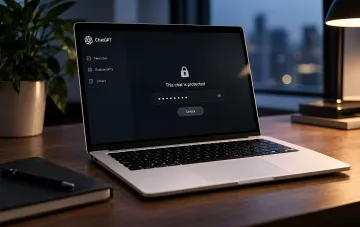
Dictation audio is sent to OpenAI's servers for transcription. The file is stored for as long as the corresponding chat remains in the user's history. After the chat is deleted, the company deletes the associated audio recording within 30 days. Exceptions include recordings that OpenAI is required to store for security or legal compliance. This rule also applies to audio snippets previously submitted by the user for model training, which are already disassociated from the user's account. Thus, the audio lifecycle is tied to the chat lifecycle: delete the conversation, and the voice recording disappears within 30 days.
Model Training and Privacy Settings
OpenAI uses dictation audio to train its models only with explicit user consent. In personal accounts (Free, Plus, Pro), the option to share data to improve models is enabled by default; in business accounts, it is disabled by default. The transcribed dictation text is treated as a standard message, so the general "Improve the model for everyone" setting applies to it. Both key switches—"Include your audio recordings" and "Improve the model for everyone"—are located in ChatGPT settings under the Data Controls section. Disabling the first prevents the use of dictation audio and voice chats for model training; disabling the second prevents the use of chat content for AI training while preserving chat history. Privacy-conscious users can disable both, retaining full dictation functionality—the text will still be transcribed and sent, but it will not enter the training set.
Practical Implications for Users
For the broader audience, lifting the 10-minute limit means dictation is no longer just for short commands but becomes a viable method for creating long-form content, from business emails to article drafts. The ability to see text in real time mitigates the risk of "blind" dictation, where the user does not know what the service has recognized. Editing before sending completes the workflow: there is no need to rewrite text manually. For free users, who make up a significant portion of the ChatGPT audience, access to unlimited dictation on par with paid subscribers narrows the functional gap between plans and makes voice input a competitive alternative to typing, especially on mobile devices.