Adobe has released a full-fledged mobile version of Premiere for the Android platform, replacing the outdated Premiere Rush. For years, Android users have been at a disadvantage compared to iPhone owners due to the lack of a powerful baseline video editor comparable to iMovie, but the new release closes this gap. The app is positioned as a professional editing tool available on a smartphone, with most basic features working for free and without requiring a Creative Cloud account.
Multi-track editing and high-resolution export
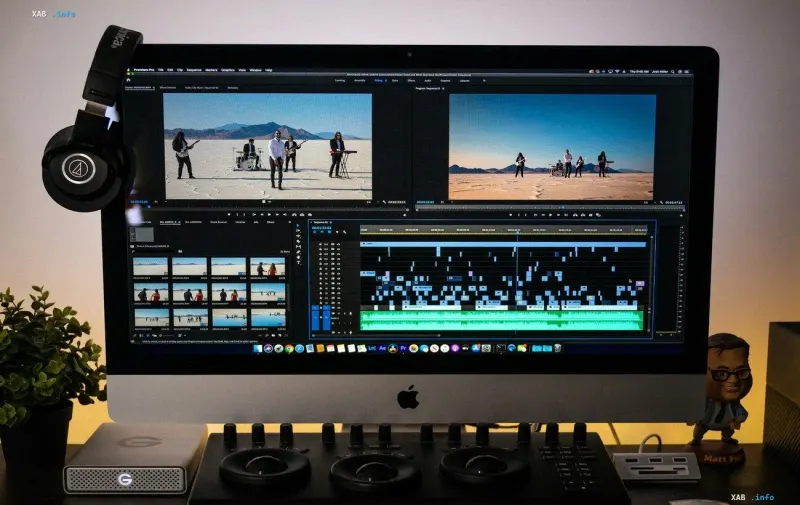
The key advantage of the new version is support for multi-track editing: users can layer multiple video and audio tracks without any limit on their number. Finished videos are exported in 4K resolution without watermarks or embedded ads, which was previously available mainly in desktop packages. A dedicated set of tools is devoted to audio work — cleaning up a recording from background noise is done in a single tap, and extracting audio tracks and recording voice directly over video are also available.
Generative AI and the credit model
The main technological feature of the release is the integration of artificial intelligence: users can generate video from text and images, as well as create background sound effects. The generative AI works on a credit system — after registration, 250 AI credits are provided free of charge each month. The extended package costs $70 per year or $8 per month and includes 1,200 monthly AI credits plus additional cloud storage. Thus, the editor itself remains free, while only the volume of generative capabilities is paid.
Interface adaptation and a focus on social media
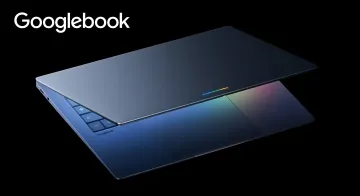
The app is optimized for vertical content tasks: the emphasis is on YouTube Shorts and TikTok formats, with the ability to quickly change the aspect ratio. The interface automatically adjusts the placement of the timeline and the preview window for foldable smartphones and Googlebook laptops, making editing convenient on devices with a changing screen geometry.
Development plans
In future updates, Adobe promises to add support for Adobe Fonts brand fonts, keyframe work, automatic detection of editing rhythm, and quick transfer of projects from a smartphone to a PC. The combination of these features turns mobile Premiere into a full-fledged part of a videographer's workflow, rather than a simplified version of the desktop edition.