
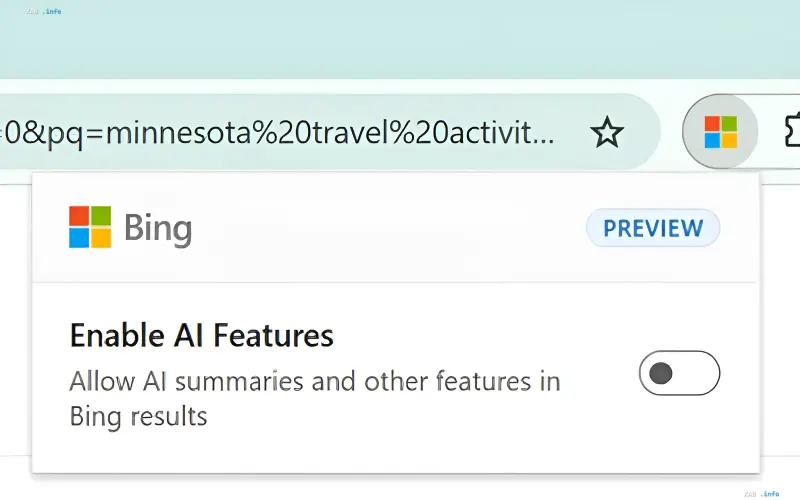
Microsoft has released a browser extension for Microsoft Edge and Google Chrome that allows users to disable AI-based summaries and chat features in Bing search results at any time. The company is responding to an audience that considers forced AI technologies unnecessary and prefers the traditional list of links. Once the extension is installed, a toggle appears in the browser, allowing users to enable or disable AI features in Bing without extra steps.
Microsoft's Official Stance: The Right to Choose
The company explained the decision by stating that users should have the freedom to choose when it comes to artificial intelligence. "We believe that when it comes to AI, Bing users should have a choice. That is why Bing offers both search with AI features and a traditional version, as well as a browser extension that allows people to easily disable AI features," stated Microsoft. They added that internal studies show users want to decide for themselves whether or not to engage AI in each session, and this new extension is designed to address that need.
How the Extension Works and Browser Changes
The tool is already available for download on Chrome and Microsoft Edge. Once installed, a switch appears in the interface, which activates automatically for every search query, sparing the user from manual settings. A notable side effect is worth mentioning: after installation, Bing becomes the default search engine. While this makes logical sense to the company since the tool only functions with this search engine, it might come as a surprise to some users who prefer other defaults.
An Alternative Without the Extension: The "-ai" Operator
Using the extension is not mandatory: when typing a search query, you can add "-ai" to the end, and all AI tools will be disabled in the Bing results for that specific request. The downside of this approach is obvious — the operator must be typed manually for every query, whereas the extension disables AI features automatically and globally. Thus, Microsoft essentially offers two levels of control: point-based disabling per request and global disabling per session or browser.
Questions Regarding Implementation
It remains unclear why Microsoft implemented the AI toggle as a separate browser extension rather than adding a setting directly to the search engine website. This choice forces users to install a third-party (albeit official) tool rather than simply changing a setting in the Bing interface. Nevertheless, the very appearance of an official AI off-switch is a significant signal: the largest player in the search market recognizes that its audience is heterogeneous and is prepared to offer classic search as a full-fledged, rather than stripped-down, version of the service.