During extended power outages, a smartphone becomes a critical tool for communication, emergency news, and safety alerts. However, battery power is consumed not only during calls or media playback but also due to background processes, display operations, and weak mobile signals. To keep the device running as long as possible, its software settings must be optimized in advance.
Managing the Display and Background Activity
The screen is one of the main power consumers of a mobile device. To reduce the load, experts recommend lowering the backlight brightness to a comfortable minimum and shortening the auto-lock timeout. On smartphones with AMOLED matrices, enabling dark mode helps save battery by turning off unused pixels on black backgrounds. On compatible devices, it is also advisable to disable Always On Display, which continuously shows the clock and notifications on the locked screen.
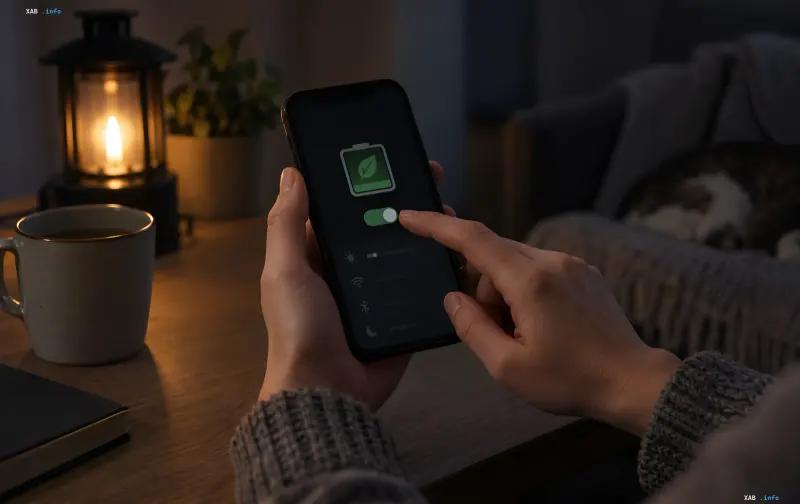
Social media apps, messengers, and email clients regularly check for updates in the background, accelerating battery drain. Activating power-saving mode in iOS or Android settings helps limit background data synchronization and system processes. At the same time, it is recommended to completely disable push notifications from secondary apps, keeping alerts only for the most essential services.
Optimizing Wireless Networks and Location Services
In areas with weak mobile reception, the device starts spending more energy searching for a base station. If the network is overloaded and indoor signal drops, battery consumption increases dramatically. In such situations, it is helpful to temporarily switch from 5G to LTE if the operator provides stable coverage. Using Airplane Mode is fully justified only when connectivity is not needed at all, as it blocks incoming calls.
The GPS module, navigation services, and mobile hotspot mode create a colossal load on the processor and battery. To save charge, experts advise downloading offline maps in advance and turning off internet sharing immediately after use. Wireless interfaces like Bluetooth should also be disabled if no headset or smartwatch is connected to the phone.
Limiting Heavy Multimedia Tasks
Resource-intensive mobile games, video streaming, and live broadcasts drain the battery the fastest because they simultaneously load the display, graphic chip, and radio module. During emergencies and extended blackouts, such entertainment should be restricted. Rational energy distribution will preserve smartphone functionality for emergency communications for as long as possible.
The Importance of Smartphone Autonomy
The ability to stay connected during prolonged power outages directly depends on preliminary gadget configuration. A comprehensive approach, including lowering screen brightness, restricting background tasks, and disabling unnecessary interfaces, allows gaining critical hours of operation. This ensures not only comfort but also personal safety amidst unpredictable power supply interruptions.