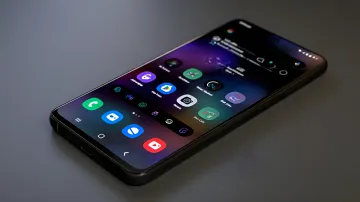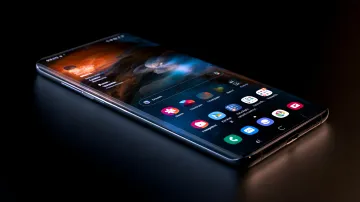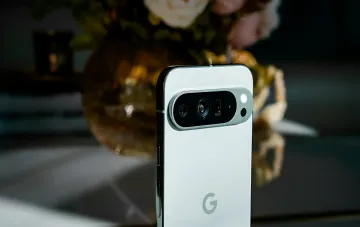
Switching from a Samsung smartphone to a Google Pixel can be an unexpected ordeal even for seasoned Galaxy users. Although both devices run on the Android operating system, they differ fundamentally in their approach to interface design, hardware, and software features. RBC-Ukraine, citing an analytical piece by BGR, investigated why swapping one smartphone model for another, even within the same OS, is not always a good decision for a user accustomed to the Korean brand's ecosystem.
Shells: Pixel UI vs. One UI
The main difference between the two platforms lies in their software shells. Google Pixel offers Pixel UI — one of the cleanest and most minimalist versions of Android, free of redundant overlays. Samsung, for its part, uses its own One UI shell, which over the years of development has evolved into a full-fledged ecosystem of automation tools, deep interface customization, and proprietary services. There is no point in arguing which system is objectively better: it is always a matter of personal preference. However, it is precisely this difference that determines which features will remain available after the switch and which will disappear for good.
Data transfer and the loss of proprietary software
When changing smartphones, basic data — contacts, calendar, photos, cloud notes — transfers without any problems thanks to the linking of the Samsung Account to a Google account. However, the user will not be able to transfer Samsung's proprietary applications and One UI tools, which do not exist in the Play Store as public products. One of the main advantages of Samsung owners is access to the proprietary Good Lock suite of modules, which allows deep changes to the interface at the system level. Google Pixel has no official support for this software, and no full-fledged equivalents from Google exist.
Good Lock: Home Up and Sound Assistant with no alternative
Among the most popular tools that users lose when switching is the Home Up module. It allows freely changing the shape and size of icons, folders, and widgets on the home screen without the standard grid limitations, as well as setting up convenient gesture shortcuts. The second key module is Sound Assistant, which adds individual volume control for each separate application and allows audio to be played simultaneously from two different sources. Google Pixel has a built-in Pixel Rules feature, however its capabilities are extremely limited: it can only change sound or notification settings depending on geolocation or Wi-Fi connection. The Routines and Modes service on Samsung devices, by contrast, offers more advanced scenario automation, including chains of conditions and actions that are unavailable in the Google ecosystem.
AI features and Edge Panels: what does not transfer
Despite the fact that Pixel smartphones have their own Gemini artificial intelligence system, Samsung users lose the deeply integrated AI from the Korean brand when switching. In particular, the Note Assist feature in the Samsung Notes app becomes unavailable, which allows structuring notes, correcting errors, recognizing handwritten text, and instantly translating it. The Samsung Notes app cannot be installed on Pixel. In addition, the Browsing Assist feature for summarizing large articles in the Samsung browser disappears, as do the Live Translate and Interpreter tools for real-time simultaneous translation of calls and conversations. The pull-out Edge Panels panel, available on Galaxy devices since 2014, deserves separate mention. It allows keeping app shortcuts, contacts, and quick tools like a flashlight, compass, or ruler at hand. The Edge Panel significantly simplifies multitasking: the user can instantly launch saved pairs of applications in split-screen mode or open programs in floating windows. This is a convenient way to declutter the home screen by moving frequently used programs into a side menu. Google Pixel has no similar built-in equivalent, and third-party apps from the Play Store often work unstably or require a paid subscription.
Contradictory data
It should be noted that the assessment of the advantages and disadvantages of each platform depends to a large extent on the source. BGR, which RBC-Ukraine cites, emphasizes the loss of functionality when switching to Pixel, but does not take into account that some One UI features in the latest versions of Android 16 and above are partially duplicated by Google's system tools. Moreover, the claim of a "complete absence" of Edge Panels equivalents on Pixel can be disputed: in the latest Android builds, Google is testing its own quick-access mechanisms for applications that functionally echo Edge Panels, although they are not an exact copy of them. Thus, the degree of "loss" of features when switching varies depending on the current firmware version at the time of analysis.