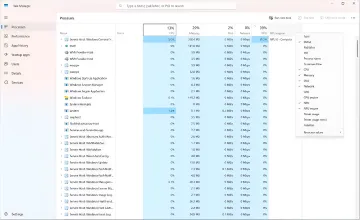
Microsoft has released a Windows 11 update specifically designed to accelerate performance on computers with 8GB of RAM and optimize resource allocation. This was reported by RBC-Ukraine, citing a statement from Pavan Davuluri, Corporate Vice President of Windows+Devices at Microsoft. Effectively, the company is prioritizing the mass-market laptop and desktop segment, where 8GB of RAM remains the most common configuration, implementing a set of algorithms specifically tuned to reduce the load on limited memory capacity.
System responsiveness improvements
Thanks to new algorithms, Windows now reacts more quickly to routine user tasks: opening the Start menu, launching search, calling the context menu, and opening the Snipping Tool are now 20 percent faster. This is not just a cosmetic change; these are micro-operations a user performs dozens of times a day, and their acceleration directly impacts the subjective feeling of system "snappiness."
Multitasking and Microsoft Edge
An even more noticeable difference is seen in multitasking: working with dozens of tabs in Edge, 4K video playback, and processing large documents are now 40 percent faster. The Microsoft Edge browser itself now launches 33 percent faster due to background process optimization. Inactive tabs in Edge now enter sleep mode after just 15 minutes instead of the previous two hours, further freeing up RAM.
Efficiency mode in Teams
Microsoft Teams has received an efficiency mode that automatically activates on PCs with 8GB of RAM. As a result, the application opens 20 percent faster and dynamically adjusts video quality during calls to reduce CPU load. This solution is particularly relevant for office scenarios where video conferencing happens alongside other resource-intensive applications.
RAM optimization
To prevent slowdowns, Windows 11 uses improved data compression mechanisms that keep up to 2 additional gigabytes of active data in high-speed RAM instead of swapping them to a slower drive. The main sources of RAM savings implemented by developers are as follows: the Microsoft 365 suite (optimizing Word, Excel, PowerPoint, and Outlook) saves up to 360MB; widgets load only when opened, saving about 200MB when closed; inactive Edge tabs go to sleep after 15 minutes instead of two hours.
How to activate the improvements
To activate all system improvements, users need to update to Windows 11 version 26H2 (build 26300.9818 or later) via Settings in the "Windows Update" section. Additionally, it is recommended to update Microsoft Edge, Microsoft 365, and Teams via the Microsoft Store to receive the optimizations at the individual application level. In doing so, Microsoft has effectively rethought its approach to "low-memory" configurations, turning 8GB of RAM from a bottleneck into a scenario for which the entire ecosystem is now specifically tuned.