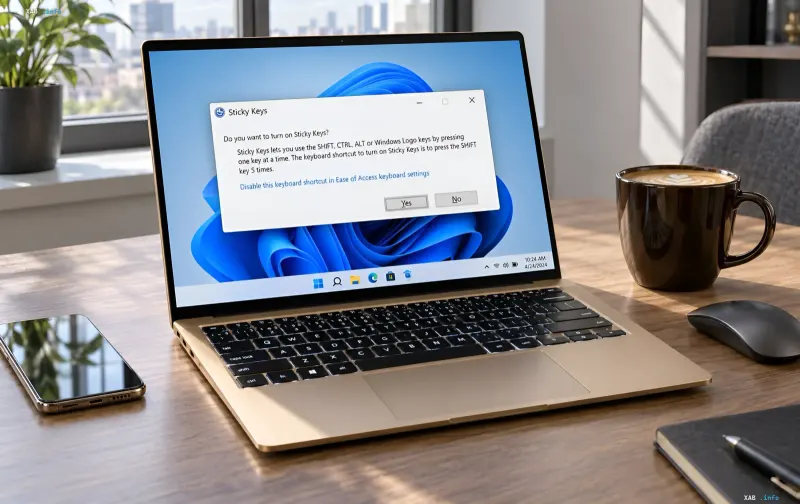
Windows users have faced the exact same issue for over thirty years: when typing quickly or gaming, pressing the Shift key five times in a row triggers the 'Sticky Keys' system dialog box, disrupting the workflow. Based on recent Windows 11 Insider test builds, Microsoft has finally decided to eliminate this annoying factor directly at the dialog level, rather than forcing users to hunt for the right setting deep within the system preferences.
A Thirty-Year-Old Feature That Annoys Most Users
Sticky Keys was introduced back in Windows 95 and was originally intended as an accessibility tool for people with motor impairments. It allows users to enter key combinations sequentially rather than holding them down simultaneously: for instance, pressing Ctrl first and then C without holding down the first key. Working alongside it is another feature, Filter Keys, which ignores brief or repeated keystrokes. For the target audience, these modes are indispensable; however, for everyone else, the accidental appearance of the system window in the middle of a game or text remains one of the most annoying elements of the Windows interface.
What Changed in Build 26320.9876
In the fresh Windows 11 Insider test build (version 26320.9876, Beta channel), Microsoft has redesigned the Sticky Keys dialog box. The 'Yes' and 'No' buttons, which were previously the only response options, are now accompanied by a new checkbox: 'Never turn on Sticky Keys via this shortcut'. Checking this box once is enough to permanently block this alert from popping up upon pressing Shift five times, without having to dive into System Settings. For those who actually need the feature, it can still be enabled through the 'Accessibility' section in keyboard settings.
Not Just Sticky Keys: Other New Features in the Upcoming Update
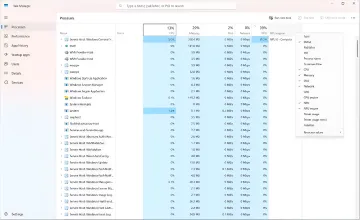
The changes to system notifications are just part of the planned improvements. According to test builds, Windows 11 version 26H2 already shows a noticeable performance boost compared to previous releases, and the subsequent 27H2 update is expected to continue this trend. Among the anticipated additions are a built-in internet speed test tool, refreshed backup and restore progress reports, and a fix for a critical bug that, according to reports, has silently impacted overall system performance for several years.
Context: Microsoft Continues to 'Fix' Windows 11
The work on Sticky Keys fits into Microsoft's broader effort to address accumulated flaws in Windows 11. A reminder of how many problems the system inherited from its initial 2001—or rather, 2021—release is, in particular, the fate of the context menu: users have complained about its awkwardness and lack of logic ever since the OS was announced, and the corporation is only now beginning to customize and simplify it. By analogy with Sticky Keys, many 'minor' annoyances that were ignored for years are gradually receiving direct interface solutions rather than being hidden away in settings sections. The 26H2 update and subsequent builds will likely serve as a way for Microsoft to regain the trust of users who are used to Windows being a system you have to tinker with, rather than just work in.