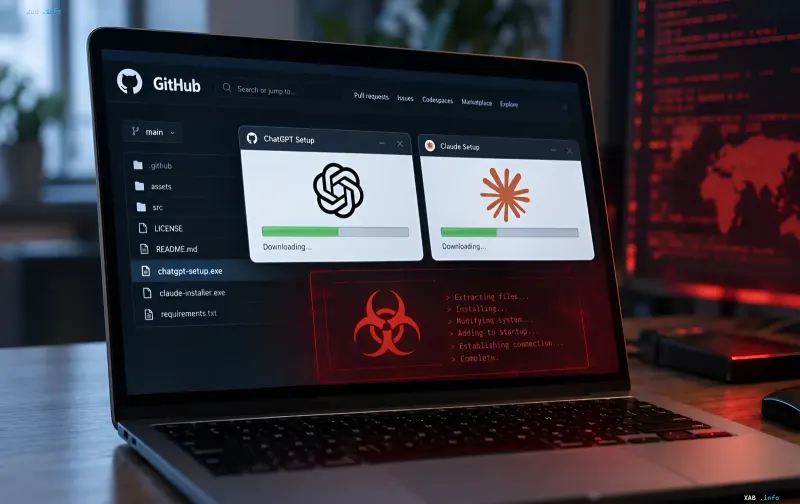
Cybersecurity experts from Check Point Research have uncovered a large-scale malicious campaign named Yoba, in which attackers distribute fake desktop applications for ChatGPT and Claude via GitHub and Google search ads. This was reported by RBC-Ukraine citing a fresh analytical report from the company's research division. The campaign is a complex attack combining SEO manipulation, social engineering, and vulnerabilities in Windows trust mechanisms, making it particularly dangerous for ordinary users without deep information security knowledge.
SEO Poisoning and Fake Repositories as an Entry Point
The first stage of the attack is built on a classic yet extremely effective technique known as search engine poisoning. Attackers create GitHub repositories and web pages with titles mimicking current versions of popular AI services — for instance, "GPT-5.6 Sol" or "Claude Opus". Thanks to search engine optimization, these fraudulent resources rank at the top of Google search results, looking like fully legitimate findings to the user. A person searching for a desktop version of ChatGPT or Claude sees what appears to be a flawless page complete with descriptions, screenshots, and a download button, unaware that it is a trap. An additional distribution channel is Google's paid advertising, where fake links compete directly with official developer resources.
Legitimate Signatures and DLL Sideloading: How Windows Trust Is Bypassed
A key element of the Yoba campaign is the use of a genuine digital installer. The downloaded ZIP archive contains a real Setup.exe file signed with a valid OpenAI or Anthropic certificate. It is this signature that tricks Windows into considering the installer safe and preventing standard security alerts from triggering, as the file is formally legitimate. However, alongside the authentic Setup.exe, the archive includes a malicious dynamic library named winmm.dll. The DLL sideloading mechanism allows this library to load automatically during installation: trusting the signed executable, Windows fails to inspect the contents of accompanying DLL files. Consequently, the malicious code executes within the context of a trusted process, bypassing most heuristic and signature-based detectors.
Hidden Cryptominer and Telegram Command-and-Control
Upon successful loading, the malicious library installs the XMRig cryptominer on the target system—a popular tool for mining Monero. Mining is conducted over the Tor network, complicating traffic tracing and masking the actual pool address. To minimize detection risks, the attackers implemented adaptive behavior: the miner automatically pauses when the user actively interacts with the computer (keystrokes, mouse movement) and resumes mining during idle periods. The command-and-control architecture operates on two levels: primary instructions are received via Telegram channels, while backup and encrypted communications are handled through DNS queries. This architecture allows the campaign operators to remotely update configurations, change mining pools, and disable infection on specific machines.
Geographic Selection: Who Is at Risk
An analysis of the malware's behavioral characteristics revealed an interesting detail: the program deliberately avoids infecting computers configured with CIS keyboard layouts, with the sole exception of Ukraine. This indicates that the operators either intentionally exclude a portion of the Russian-speaking audience from the victim pool (perhaps to reduce the likelihood of detection in the Russian-language internet segment) or use the keyboard layout as a proxy indicator for the region. Meanwhile, users from Ukraine, according to the report, are not protected by this filter and remain at risk alongside everyone else. Check Point Research does not disclose the exact motives behind this selection in its public report.
Expert Recommendations: How to Protect Yourself
Check Point Research specialists provide several practical recommendations. First, official AI service applications should only be downloaded from trusted sources — such as claude.com/download for Claude or the official Microsoft Store. Second, if a user has already downloaded a suspicious ZIP archive from GitHub, they are strongly advised not to open or run its contents. If the installer was launched accidentally, experts recommend immediately disconnecting the device from the network, running a full antivirus scan, and checking for suspicious processes (specifically XMRig) and startup entries. Given that the malware utilizes legitimate digital signatures, standard antivirus checks may fail to spot the threat; therefore, an additional step involves manually inspecting the unpacked archive's contents and cross-referencing file hash sums with official values published by the developers.