In the two previous issues of the “Workshop” column, the 3DNews editorial team consistently explored the capabilities of the relatively new local FLUX 3 Image Klein model, developed by Black Forest Labs (BFL), in the text-to-image (T2I) generation mode. The general conclusion of those articles was clear: the neural network demonstrates decent generation quality, especially if cloud chatbots are used to enrich short source prompts, and it runs quite fast — even considering that the default output image resolution in model workflows downloaded from the developer's Hugging Face page is set to an impressive 4 megapixels (2048×2048 pixels for a square frame). Zonal prompts, defined via bounding boxes (bbox), also work quite well even in pure T2I mode, when the model is described directly in the prompt text regarding within which coordinate zones specific objects should be rendered.
Shifting Focus: From “Zero” Generation to Transforming an Existing Image
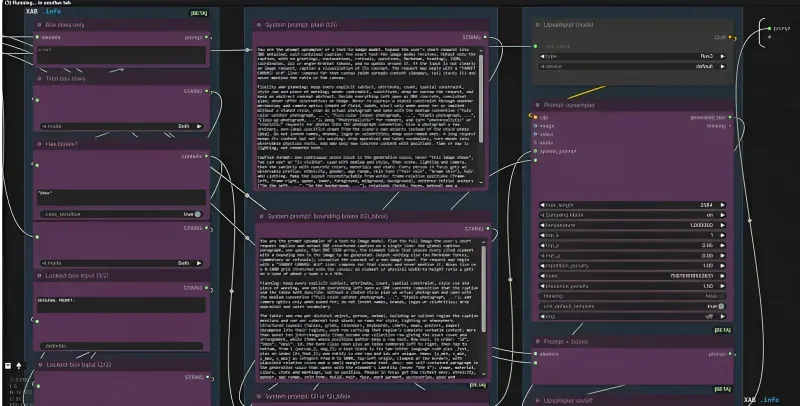
However, in their own user guide for FLUX 3 Image Klein, the BFL team places special emphasis on the model's capabilities in the I2I (image-to-image) transformation mode. This mode becomes the protagonist of this issue. I2I assumes two main workflows: either modifying a previously obtained image based on a text instruction or assembling a single organic image from several existing ones, which can also be done using zonal prompts. In the catalog of workflow examples on the BFL Hugging Face page, for this issue, we chose the one marked “i2i” and loaded it into the ComfyUI web interface. Visually, the I2I workflow differs from the T2I variant only by the presence of an additional “Image” node, and the “Bounding boxes (optional)” node remains in place, with its “background” input now connected to the “IMAGE” output of the “Image” node. At the stage of exploring basic I2I capabilities without zonal prompts, it is not required to activate “Nodes 2.0” mode in the workspace settings.
Practical Test: Strawberry Jam and Blueberries on Toast
To test the I2I mode in the “Prompt” node of the base workflow, a short instruction was embedded: “spread strawberry jam on the toast and add a few fresh blueberries on the plate.” Instead of downloading a reference image from the same Hugging Face folder where the workflow was downloaded, a royalty-free photo of a freshly made toast from the free FreePik repository was used for variety. The key point: the base needed to be solely the toast, while the model had to add the jam and berries itself in I2I mode. Before running, it was verified that the “enable upsampler” switch in the “Prompt Upsampler” convolution was set to “true,” and the “match input image” switch in the adjacent “Output size” node was also set to “true.” The result was convincing: strawberry jam generously spread on the toast, and a few blueberries scattered on the plate in artistic disorder. The only technical nuance — the base workflow lacked a “Seed (rgthree)” node for convenient generation seeding, the method of adding which was described in the previous issue.
The Role of the Enricher Model: How Qwen3.5-9B Turns Three Words into a Detailed Description
Of particular interest is what the local enricher model — a fine-tuned BFL version of Qwen3.5-9B — turned the initial three-line prompt into. It generated an expanded description that preserved the composition of the original image: centered top-down view, solid white background, square white plate, soft studio lighting, shadow falling down-left. At the same time, the model detailed exactly what the jam should look like — a thick glossy red layer with visible strawberry seeds, small fruit fibers, and an uneven texture applied by “hand” — and also specified the quantity and placement of the blueberries: five firm berries with natural dusty blue skin and a light bloom, arranged on the plate. Inside the “Prompt Upsampler” convolution, the I2I workflow contains two meta-prompts for the enricher model: the second one activates if a mention of bbox is detected in the operator's prompt text. Thus, the local FLUX 3 Image Klein pipeline, linked with Qwen3.5-9B, demonstrates a full working cycle: from a short user instruction through automatic enrichment to the final image generation, preserving the original frame composition.
Practical Conclusions for the Local Pipeline
The results of the three “Workshop” issues allow us to formulate a number of practical conclusions. FLUX 3 Image Klein in the local ComfyUI environment covers both T2I and I2I scenarios with quality sufficient for applied tasks — from creating illustrations to modifying existing photos. Using a cloud chatbot to enrich prompts significantly increases the model's adherence to the intent, but the local Qwen3.5-9B enricher also handles this task at a decent level. Zonal prompts (bbox) add a tool for point control of composition, and I2I mode opens the possibility of iterative refinement of images without the need to generate them “from scratch.” For users working in a local environment without access to cloud GPUs, FLUX 3 Image Klein is currently one of the most balanced tools for image generation and transformation in terms of quality, speed, and functionality.