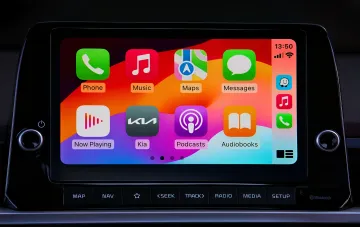
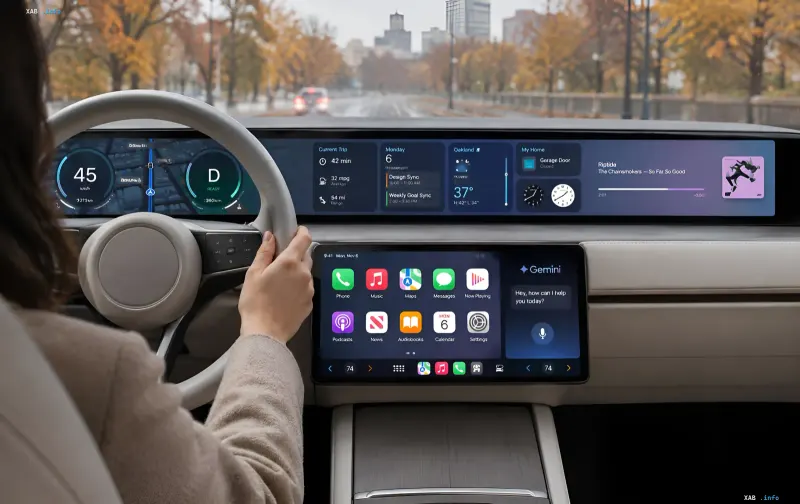
On November 11, 2026, Google began the global rollout of the full Gemini application within the Apple CarPlay ecosystem. The update has become available to all iOS device owners supporting the Gemini Live feature. Now drivers can interact with artificial intelligence directly through the car screen without being distracted by their smartphone. As the company emphasizes, the new interface is designed as a "conversational companion" that minimizes any distractions behind the wheel: simply touch the Gemini icon on the CarPlay display or sidebar to return to a previous chat or start a new dialogue.
Conversational Format: Interrupt, Change Topic, Pause
The key difference of Gemini Live in CarPlay from traditional voice assistants is the flexibility of the dialogue. The user communicates with the assistant at their own pace: they can interrupt to add details, change the topic of conversation, or pause when it is necessary to concentrate on a complex traffic junction or exit. This approach turns interaction with AI into a natural conversation rather than a sequence of commands. All conversations conducted through CarPlay are automatically synchronized with the Gemini app on the iPhone, so any summary, note, or idea will be waiting in the chat history immediately after parking.
Work Tasks Behind the Wheel: Gmail, Calendar, and Daily Briefing
Integration with Google Workspace applications opens up a wide range of work scenarios directly in the car. Users can request a Daily Brief, check unread emails in Gmail, shorten long text message threads, and dictate quick voice replies. Examples of commands provided by Google: "Give me my daily brief for today" or "Tell me about unread emails and summarize Sarah's Q4 budget thread." Through Google Calendar, you can check your schedule for the day, clarify departure times for meetings, or discuss ideas before arriving: "What do I have scheduled for today?" or "Help me prepare for the meeting with the design department at 10 AM."
Location Search, Brainstorming, and Presentation Rehearsals
In addition to work tasks, Gemini in CarPlay functions as a navigation and intelligent assistant. Drivers can discover interesting locations along the way, find quick lunch spots, or receive historical information about local landmarks. A separate scenario is using Gemini Live as a brainstorming platform: practicing upcoming presentations, preparing for important conversations, or breaking down complex topics while on the road. This turns time spent in traffic jams into a productive work interval.
Technical Requirements and Activation Procedure
To access the new functionality, three conditions must be met: update the Gemini app on the iPhone to the latest version, grant microphone permissions, and use the Gemini Live feature at least once on the smartphone itself. After that, when connecting the phone to the car, simply touch the Gemini icon on the CarPlay display and start a conversation. The rollout covers all languages supported by Gemini Live, making the feature available to a global audience. As of November 12, 2026, the update is already spreading across all regions where CarPlay and corresponding generation iOS devices are available.