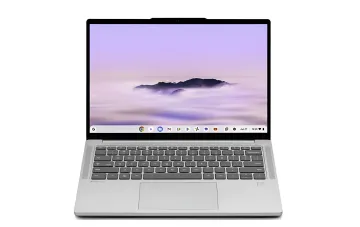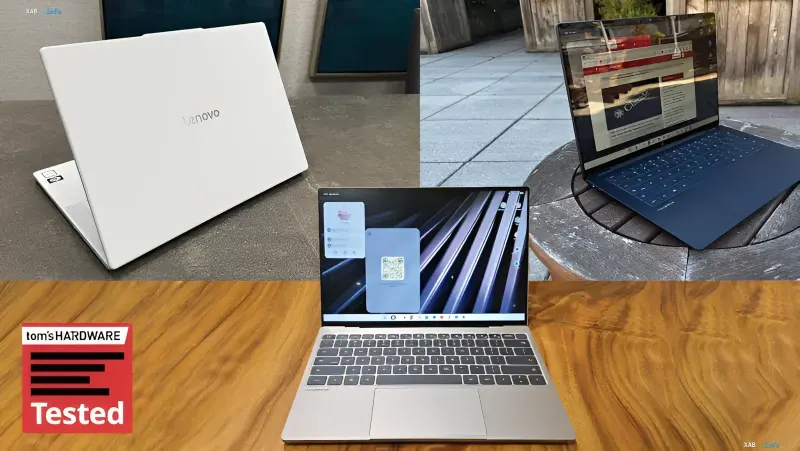
Tom's Hardware has published the results of testing three of the first five laptops in the Googlebook lineup: Lenovo Googlebook 15, HP Googlebook 14, and Dell XPS Googlebook. The editorial board's general conclusion is that the devices are well-built, equipped with high-quality displays, and largely mirror familiar market models from manufacturers, but the operating system does not yet provide a comfortable everyday workflow. The platform has largely adopted Android logic, but software selection and cross-device interaction capabilities, according to testers, leave much to be desired.
Design and Hardware
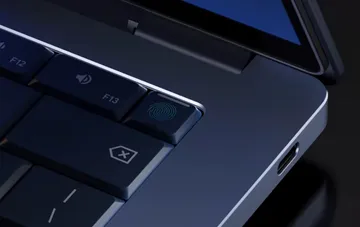
As Tom's Hardware notes, the first Googlebooks largely mirror existing partner models. The HP Googlebook 14 is based on the HP OmniBook Ultra, and the Dell XPS Googlebook almost entirely copies the Dell XPS 13. The Lenovo Googlebook 15 stands out separately: it features a white chassis combining carbon fiber, aluminum, and magnesium, a 15.3-inch screen, and a weight of 1.29 kg. A common characteristic detail across all models is the Glowbar LED strip, which changes color depending on device status: upon startup and entering sleep mode, the backlight turns rainbow-colored, when invoking the Gemini AI assistant it reacts to voice, and when connected to power, it displays the charge level in red, yellow, or green. A dedicated 'G' key on the keyboard opens the app menu and supports shortcuts, while the F1–F3 function keys, much like in older Android versions, handle returning, going to the home screen, and displaying open apps.
Performance and Battery Life
The HP Googlebook 14 and Dell XPS Googlebook run on the Qualcomm X Elite X1-80-100 chip, while the Lenovo Googlebook 15 is powered by the Intel Core Ultra 5 325 (Panther Lake). In Geekbench 7, Qualcomm chips performed better, especially in multi-threaded tests and the 3DMark Steel Nomad Light graphics test. Lenovo, in turn, proved faster in WebXPRT4, which assesses web application performance. Battery life proved relatively modest: in a test involving the sequential opening of 30 websites at a screen brightness of 150 cd/m², the Lenovo computer lasted 11 hours 52 minutes, HP ran for 10 hours 25 minutes, and Dell for 10 hours 4 minutes. All tested devices feature at least 16 GB of memory, of which 7–8 GB is constantly occupied; the editors attribute this likely to background AI models running continuously.
Interface and Software Ecosystem
The Googlebook OS interface largely mimics Android: a taskbar sits at the bottom and cannot be moved, while a status bar at the top displays the clock, date, quick settings, and the Magic Cursor toggle. In practice, distances between interface elements are often designed for touch-screen finger navigation. The file manager lacks 'Forward' and 'Back' buttons, and folders in the sidebar can neither be pinned nor rearranged. Chrome does not support multiple profiles—an unpleasant surprise for those who separate personal and work accounts. Applications are installed exclusively via the Play Store, unlike Microsoft Windows, Apple macOS, and Linux. Five compatibility classes are provided for apps: ranging from those originally designed for PCs with keyboard and mouse in mind to those meant solely for smartphones. The first category includes, for instance, Adobe Photoshop, Obsidian, Notability, Zoom, and Microsoft Office, whereas native Google Calendar and Gmail are essentially web apps in separate wrappers. Linux programs run via a Debian virtual machine, but experience delays, audio artifacts, and cannot be launched as regular system apps. Running apps on Intel processors introduces additional complexities, whereas Qualcomm-powered computers face fewer issues.
Smartphone Integration and AI Features
The Googlebook platform promises deep smartphone integration, but the broadest range of features is only available to devices running Android 17. A Samsung Galaxy S23 running an older OS version connected without issues but behaved unstably: notifications did not always arrive, some files could not be dragged, and app streaming suffered from stuttering. At the same time, launching an individual smartphone app on the laptop allows you to continue using the phone for other tasks, unlike simple screen mirroring. The Magic Cursor feature is available, enabling users to circle an object on screen and send it for AI analysis, along with on-demand widget creation, though functionality remains limited. Special mention goes to the Rambler voice input system, which is quite convenient to use, and the Antigravity programmer assistant was also among the tested AI tools.
Conclusion
Summarizing the results, Tom's Hardware states that the first Googlebooks are solidly built devices with great screens, but with an operating system that is not yet refined to the level of familiar desktop platforms. Limited software selection, reliance on the Play Store, issues running Linux apps, and unstable integration with smartphones running older Android versions are the main weaknesses that Google must address as the platform evolves.