In August 2026, Microsoft finally addresses one of the most painful issues for Windows 11 users — the cluttered and inconvenient right-click context menu. After more than three years of criticism and numerous requests for improvement, the company is implementing a flexible customization system that will allow every user to independently form a set of commands tailored to their tasks.
New Level of Customization: What Will Change in the Menu
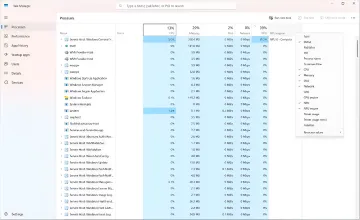
In the latest preview builds of Windows 11, hidden parameters have already been discovered that will give users full control over the contents of the context menu. A new "Customize" item will appear at the bottom of the menu, leading to system settings. There, users will be able to enable and disable individual actions: sending a file, printing, creating a shortcut, copying a path, rotating an image, and even integrating with app extensions.
Special attention is paid to cloud services. Commands related to OneDrive, Google Drive, and other cloud storage can be moved to a separate section so they do not clutter the main menu. It will also be possible to change the location of main actions — for example, move "Copy" or "Paste" to the beginning of the list if it is more convenient for the user.
Return of the Vertical Menu: Choosing Between Windows 10 and 11 Styles
One of the most anticipated innovations is the ability to return the vertical arrangement of commands, as in Windows 10. By default in Windows 11, the "Cut", "Copy", and "Paste" commands are located in the upper part of the menu in a horizontal row. Now, users will be able to switch to the classic vertical format, where these actions will be located together with the other items.
This solution is especially important for those who are used to the old navigation logic and find the horizontal row inconvenient. At the same time, Microsoft does not plan to completely abandon the modern design — both options will be available, and the user can choose the one that suits them best.
Compactness by Default: Less Noise, More Substance
After the update, many secondary commands will be disabled by default. This will make the menu significantly more compact and faster. Users will be able to add necessary functions manually, forming a personalized set of tools. This approach will help avoid interface overload and speed up work with files and folders.
In addition, Microsoft plans to optimize menu loading so that it opens instantly, even with a large number of installed applications and extensions. This is especially important for professionals who often work with large volumes of data and need maximum speed.
The Classic Menu Will Not Disappear
Despite all the changes, the classic Windows context menu will not disappear. Although its item will not be shown by default, it can be returned through settings if desired. However, making the old version the main one is not yet possible — Microsoft retains priority for the new design, but leaves the possibility for those who prefer proven solutions.
Contradictory Data
There are disagreements regarding the timing of the official presentation of the new settings. Some sources indicate that Microsoft plans to announce the changes in the next one or two weeks. Others report that the final version may be ready only by the end of 2026. For now, the exact date is not confirmed, and the company is keeping the intrigue.
Conclusion: A Step Towards Personalization
The implementation of flexible context menu customization is an important step by Microsoft towards personalizing the Windows 11 interface. The company acknowledges that one size does not fit all and is ready to give users more freedom. This will not only improve usability but also increase user satisfaction, who have complained about the inconveniences of the current design for years.