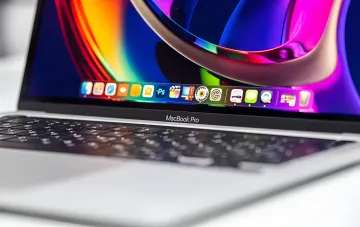
Apple has released macOS 27 Golden Gate — a new version of the operating system for Mac computers built on Apple Silicon processors. According to the developers, this release focuses on stability, fixing accumulated bugs, and more convenient interface control. The Ukrainian edition RBC-Ukraine, citing Lifehacker, has systematized a set of "features" that the engineers in Cupertino have built into the new OS — from a slider for visual effects to hidden scenarios accessible only through Terminal.
Stability and Liquid Glass Effect Control
The Liquid Glass effects and animations that appeared in macOS 26 sparked much debate among users: some of the audience found them excessive and distracting from reading. In macOS 27, Apple added the ability to adjust their intensity. To make the text more readable, you need to go to "System Settings" — the "Appearance" section and use the new slider in the Liquid Glass block to reduce the visual effects. This is the first time the company has given users direct control over its signature "glass" design, which had previously been fixed.
Page Refresh Gesture and New Drawing Tools
The signature content-refresh gesture by pulling down, familiar from iOS, now works on computers as well. In Safari, Mail, Calendar, News, and Podcasts, it is enough to swipe down with two fingers (or up, if natural scrolling is disabled) on the trackpad to refresh the content. In addition, the Freeform and Apple Notes apps have gained a new drawing tool: by clicking the pen icon in the top bar, the user can create sketches, diagrams, and drawings using a mouse or trackpad.
Siri as a Full-Fledged App and Screen Analysis
Interacting with the virtual assistant has become more convenient thanks to a full-fledged Siri app. When voice activation is disabled, opening the app immediately brings up a text input window — this is convenient for quickly creating timers, reminders, or searching for answers. With Siri AI enabled, you can analyze any image on the monitor: by pressing Command-Shift-6 and selecting a screen area, the user asks a question about the selected object, finds its analogs online, or saves a recognized phone number to contacts. In Safari, artificial intelligence can now automatically organize similar tabs; if you do not want automatic grouping, in "Safari Settings" — "Tabs" you can choose Show Related Tabs to receive only suggestions and group pages manually. A separate tool, Describe Extension, allows you to create your own browser extensions via a text description: in the menu with three lines in the address bar, you need to write the task — from automatically closing duplicate tabs to changing the style of web pages.
Hidden Features and Terminal Commands
A number of functions in macOS 27 are hidden by default and are activated with commands in Terminal. For example, to open an AirPlay stream in a regular resizable window instead of fullscreen mode, you need to run the command to create the FeatureFlags directory and write the APReceiverInWindow parameter. The annoying Ask Siri item in the right-click context menu can be removed with a special sequence of commands followed by a system reboot. macOS 27 also introduced a hidden ability to move with the keyboard arrows from app menu items directly to the icons in the top bar — after enabling navigation via Terminal and rebooting, switching between app menus and panel icons is done with the left and right arrows.
Contradictory Data
The positive picture of the release painted by review publications coexists with critical user reports. In particular, on the vc.ru platform, a personal account by one of the users was published under the headline "Why I Strongly Do Not Recommend Updating macOS to Version 27 (Golden Gate)," where the author describes the problems and "pain" associated with the transition to the new version. Thus, one side (review and technology publications) emphasizes the new features and the focus on stability, while an individual user report points to a negative practical experience of updating. The specific list of failures is not detailed in the open material, so the contradiction is a matter of the difference between the stated improvements and the subjective experience of a specific user; a final assessment of the release's stability should be made taking both viewpoints into account.
Altogether, macOS 27 Golden Gate looks like a "quiet" optimization release: Apple does not bet on flashy novelties but fine-tunes what is already there — it provides a slider for the controversial effects, ports a familiar mobile gesture to the desktop, and opens up hidden scenarios for advanced users. At the same time, the presence of public reports of update problems serves as a reminder that even a "stable" release should be installed consciously, with a backup of your data.