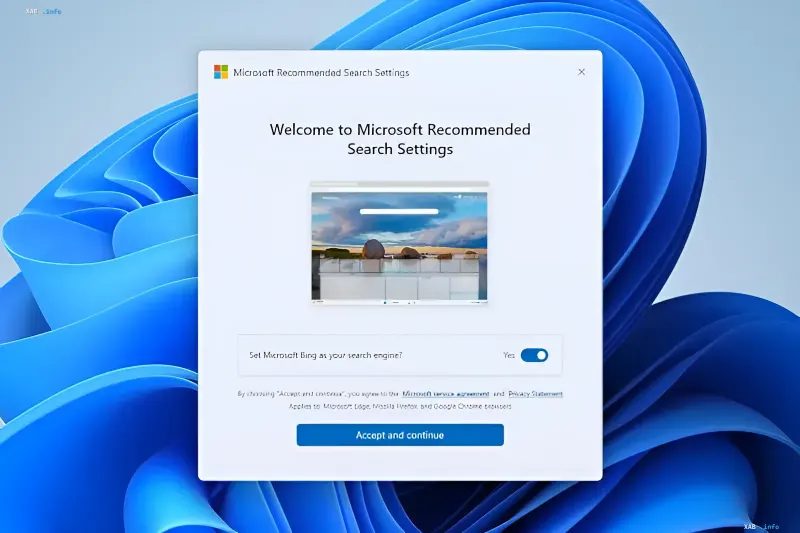
Microsoft's official download servers have been found to host an application called Microsoft Recommended Search Settings, whose sole practical function is to install extensions in the browsers available on the system that make Bing the default search engine and set it as the home page. Once the setup is complete, the utility opens a page offering a "reward" for switching search engines. In this way, the corporation continues its aggressive promotion of its own search service within the Windows ecosystem.
What the utility is
The application is built on the WinUI shell with the WebView2 component, and its installer size is 22.2 MB. The interface is reduced to a single, and only, content page where the user is offered to install Bing as the default search engine; the corresponding toggle is enabled by default. When the user gives consent and the configuration is complete, pressing the "Finish" button opens the Microsoft Rewards page in the Edge browser. In effect, the utility works as an automated script for synchronizing search settings without manually editing browser configurations.
How the search-switching mechanism works
The solution is based on the Microsoft Bing Homepage & Search extension, which is installed in third-party browsers and changes the search and start page parameters to bing.com. In practice, the Chrome and Brave browsers flag this extension as suspicious: Chrome warns that it may read and modify data on all visited sites, display notifications, and also change the search and start page settings. At the same time, the extension's rating is four stars based on 110 reviews, and the number of installations has already reached five million users. Notably, Chrome immediately offers to restore Google as the default search engine, and beneath this window a similar window from Microsoft is displayed, urging the user not to do so.
Contradictory data
Here there is a clear discrepancy in the assessment of the same action. From Microsoft's perspective, the utility is a convenient way to quickly synchronize search settings and earn points in the Microsoft Rewards loyalty program; the company is even running a $1 million prize pool among Bing users, emphasizing the value of switching to its service. On the other hand, third-party browsers and protective modules interpret such interference with system configurations as intrusive behavior (PUP/PUA categories), since the extension requests broad permissions to read and modify data on all sites. Thus, the "recommended settings" for the Microsoft developer become a "suspicious extension" for the browser, and both sides interpret the same actions in fundamentally different ways.
Context: the battle for default search
The release of a separate application for changing the default search engine once again shows how difficult it is to dislodge Google from the position of the most convenient default search. Microsoft's strategy is built on the combination of "automation + loyalty": the utility removes the manual configuration from the user, while the Microsoft Rewards program and the $1 million prize pool serve as a financial incentive to lock in Bing as the default service. For the IT community, this is yet another example of aggressive promotion of Microsoft's own services through Windows system mechanisms, which traditionally sparks debates about the boundaries of acceptable interference with third-party software configuration.