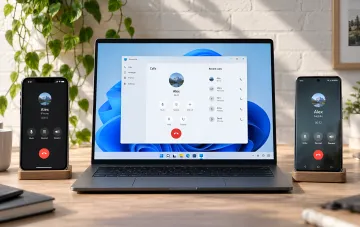
Hidden commands have been discovered in the source code of the Link to Windows app for Android, which in the future will allow users to remotely shut down, restart, and put a connected Windows 11 computer into sleep mode. This is reported by RBC-Ukraine, citing data from Android Authority, which has been confirmed by several specialized publications. At the moment, the mobile companion Phone Link can only lock the computer, so the discovered code is seen as a hint at a significant expansion of functionality.
What Exactly Was Found in the APK
When analyzing the source package (decompiling the APK) of the Link to Windows app, researchers identified a set of commands that are currently unavailable to end users. Right now, the app only allows you to remotely lock a connected computer, whereas the discovered code indicates that the system is ready to manage the PC's power directly from a smartphone. This means that the functionality is already built into the app's structure and will likely be activated in one of the upcoming updates.
New Power Management Commands
Among the discovered algorithms are shut down (Shut down), restart (Restart), and putting the computer into sleep mode (Sleep). Before performing a shutdown or restart, the app sends notifications with a warning about the possible loss of unsaved work in open programs, and when the sleep option is selected, the user receives a separate special warning. This logic confirms that the commands are designed for real user scenarios and are not test placeholders.
Integration with Windows Updates
Some commands provide for the "update and restart" (Update and restart) and "update and shut down" (Update and shut down) combinations. This logic is especially convenient in scenarios where the installation of system patches has been completed and the computer can be safely restarted or shut down without the need to physically approach it. This addresses a typical user need: waiting for the update to finish in order to properly shut down the machine.
Sleep Mode Limitations
After the computer enters sleep mode, the connection between the smartphone and the PC is broken due to technical limitations. This means that it will be impossible to remotely wake the machine from sleep via the phone — physical access to the computer will be required. Users should keep this limitation in mind when planning their work scenarios so as not to be left without the ability to "wake" the PC remotely.
Context: Microsoft's Unified AI Platform
Against the backdrop of the expansion of Link to Windows functionality, Microsoft is also merging the Copilot services for regular users, businesses, and educational institutions into a single universal platform. The updated app will become the single point of access to the company's AI technologies, suitable both for performing everyday personal tasks and for work processes in Word or Excel. Thus, Microsoft is steadily consolidating its scattered tools into a single ecosystem where mobile PC control and AI assistants work in tandem.