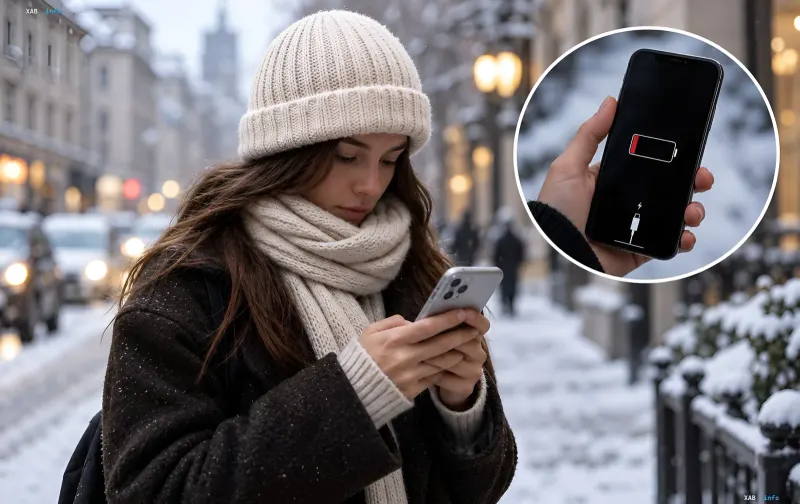
With the onset of cold weather, more and more smartphone owners face the same problem: the device loses charge faster, starts running slower, and can suddenly turn off even if the indicator still shows 20–30% battery. At first glance, this looks like a malfunction or a 'manufacturer conspiracy,' but there is fully understandable physics behind it. The reason lies in the specifics of lithium-ion batteries at low temperatures, rather than a device defect.
What happens inside the battery in the cold
Most modern phones operate on lithium-ion batteries containing a liquid electrolyte through which lithium ions move to generate energy for the device. At room temperature, these processes run efficiently and stably. But when the temperature drops, the electrolyte 'thickens,' chemical reactions inside the battery slow down, internal resistance rises, and voltage drops sharply. As a result, the smartphone consumes charge faster, may lag, and unexpectedly shut down. Meanwhile, the battery percentage on the screen is an algorithmic calculation, not a precise measurement: when voltage drops below a safe minimum in the cold, the system 'thinks' the battery is dead and triggers an emergency shutdown to protect the processor and memory. In reality, energy is still stored in the battery—it is simply temporarily 'blocked' by the cold.
What Apple and Samsung say
Apple explains that using an iPhone in very cold conditions may temporarily shorten battery life, and performance usually returns to normal once the device is brought back to warmer environments. This means that a sudden shutdown in the cold does not necessarily indicate a faulty battery. According to Apple's recommendations, it is best to use iPhones at ambient temperatures between 0°C and 35°C (32°F to 95°F). Samsung specifies a similar range for its Galaxy smartphones. It is important to understand: this does not mean the phone will necessarily stop working at minus 1 degree Celsius. The reaction depends on the duration of exposure to cold, the condition of the battery, and the workload on the device. Owners of older smartphones require special attention, as worn-out batteries handle low temperatures noticeably worse.
How to protect your smartphone in the cold
To prevent your phone from shutting down at the most inopportune moment, simply follow a few basic rules. First, carry your smartphone in an inner pocket—this protects the device from cold air better than an outer jacket pocket or a backpack. Second, do not leave your phone in a cold car: even a turned-off device should not be kept at very low temperatures. Third, turn on power saving mode—on iPhone this is Low Power Mode, on Samsung Galaxy it is Power Saving; they limit background processes and reduce energy consumption. Fourth, reduce screen brightness, as the display consumes a significant portion of the charge. Fifth, do not hold your phone constantly in your hands in the cold: to answer a call, you can use headphones while leaving the device in your pocket. These measures do not eliminate the effect of cold on the battery, but they help reduce additional power drain.
What not to do after returning home
A common mistake is trying to warm up your smartphone as quickly as possible upon returning home. Do not place it on a heating radiator, bring it close to a heater, or warm it with a hair dryer: a sharp temperature drop can lead to condensation, and excessive heat creates additional risks for electronics. It is better to leave the device in a dry room and wait for it to gradually warm up to room temperature. Also, do not rush to charge a very cold smartphone: Apple and Samsung provide temperature limits for charging, and if the battery is too cold, the system may temporarily suspend the process. Therefore, let the phone warm up naturally before connecting it to a charger.
When it is time to check the battery
If your smartphone only shuts down in the cold and works normally after returning to warmth, the cause is most likely the low temperature itself. But if the problem persists even at home, you should check the battery health: on an iPhone, this is done in the battery settings where maximum capacity is displayed; on Samsung Galaxy, diagnostics are available through the Samsung Members app. Signs of potential wear include frequent sudden shutdowns, a significant reduction in battery life, and system warnings about battery health. If such issues occur regularly, it is advisable to contact an authorized service center. The main rule of the cold season is not to leave your smartphone in the cold for long periods, avoid sudden heating, and charge it only after returning to an acceptable temperature.